Why Fuel Data Is the Cheapest Diagnostic Tool You Have
Most riders treat a trip to the petrol station as a routine stop — fill up, pay, ride on. But if you are not logging what goes in and how far you rode on the last tank, you are leaving one of the most revealing datasets about your motorcycle’s health completely untapped.
Fuel consumption is a direct reflection of engine efficiency. An engine that is burning significantly more fuel than it used to is almost always trying to tell you something: a clogged air filter, a fuel delivery issue, incorrect tyre pressure, or a valve that needs adjustment. The earlier you catch the signal, the cheaper the fix. Tracking motorcycle fuel consumption is the simplest habit that separates riders who stay ahead of problems from those who only discover them at the roadside.
What to Record at Every Fill-Up
A useful fuel log does not need to be complicated. Four data points per fill-up are enough to build a meaningful picture:
Odometer Reading
Record the odometer before you start fuelling, not after. This gives you the distance ridden since the last fill-up, which is the only reliable way to calculate consumption.
Volume Pumped
Write down exactly how many litres (or gallons) you added. Do not round up. If you always fill to the brim, the comparison between tanks becomes clean. If your fill style varies, note that too.
Fuel Cost
Recording cost is optional for pure diagnostics, but it turns the log into an expense tracker as well. Over a year, riders are often surprised by their annual fuel spend — it is usually the largest motorcycle running cost after insurance.
Date
A date stamp allows you to correlate abnormal readings with events — a cold spell, a new tyre, a recent service, a longer-than-usual motorway run. Without dates, patterns are invisible.
Calculating Consumption: L/100 km, km/L, or MPG
Once you have two consecutive fill-ups logged, you can calculate consumption:
- L/100 km: (litres at fill-up ÷ km since last fill-up) × 100
- km/L: km since last fill-up ÷ litres at fill-up
- MPG (UK): miles since last fill-up ÷ litres × 4.546 (for imperial gallons)
The exact formula matters less than doing the same one every time so the numbers are comparable. The fuel and mileage tracking feature in MyBikes.App handles the calculation automatically and supports all three units — you enter the raw numbers, it shows you the trend.
Spotting Abnormal Consumption Before It Becomes a Problem
A single bad reading usually means nothing — perhaps you rode mostly in city traffic, or the fuel grade changed. But a sustained rise of 10–15% over three or four tanks is a reliable warning sign worth investigating.
What a Sudden Spike Usually Means
- Air filter: Restricted airflow forces the engine to run richer. This is the most common culprit and the cheapest fix.
- Tyre pressure: Under-inflated tyres increase rolling resistance noticeably. Check pressures cold.
- Fuel system: A partially blocked injector or a weeping carburettor needle lets fuel dribble past when it should not.
- Valve clearance: Tight valves keep the combustion chamber from sealing properly. Consumption climbs slowly; performance drops at the same time.
What a Gradual Drift Usually Means
A slow rise over a season often signals normal wear — ring seal, valve seats, or cam chain stretch. Your fuel log gives you a baseline to compare against after a service, so you can confirm the fix actually worked.
A Typical MyBikes.App Fuel Workflow
Here is what a logging habit looks like in practice:
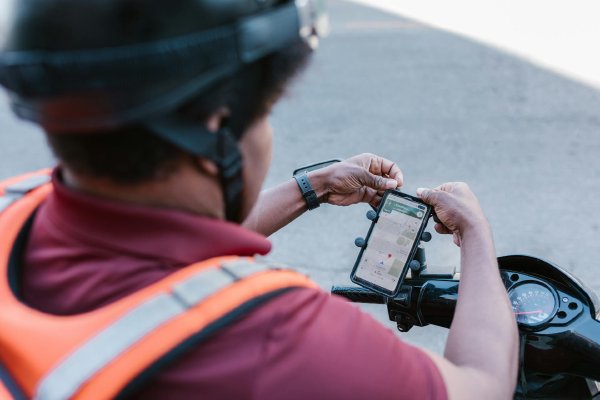
- Pull up to the pump. Open the app, tap the fuel section, enter your current odometer reading.
- Fill the tank to the brim as usual.
- Enter the litres and cost. Tap save.
- The app calculates consumption for this tank and adds it to your running average.
- On the dashboard you can see your last five tanks at a glance — if this tank is an outlier, it is immediately obvious.
The whole process takes thirty seconds. You do not need a mobile signal — the app is offline-first and syncs your data to Azure cloud backup when you are next online.
Making Sense of the Data Over Time
A log of a dozen or more tanks starts to reveal your bike’s personality. You will learn:
- Your typical consumption on familiar commuting routes versus motorway runs
- Seasonal variation (cold weather usually costs 5–10% more fuel)
- The efficiency gain after a new air filter or fresh spark plugs
- How different fuel grades affect your particular engine
This is information that no workshop can give you, because no workshop rides your bike the way you do.
Track It in MyBikes.App
MyBikes.App: Motorcycle Manager is a free Android app built for exactly this kind of structured logging. It covers fuel, parts, maintenance services, GPS ride tracking, and expense summaries — all stored offline on your device with Azure-backed cloud backup for safety.
See the full feature list or download it from the Play Store today — logging your first tank takes less than a minute.
Available on Android · iOS coming soon.